From first login to audit export, nothing here is on a roadmap
Every piece below already runs in production at Bastigo. The illustrations that follow show how the interface actually works.
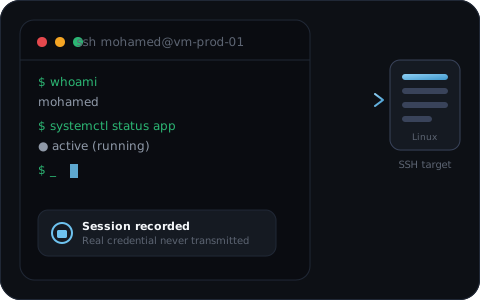
SSH gateway
A native SSH proxy, with no external dependency, sitting between the user and the target server. Browser terminal or the usual SSH client, either way: the real password or key of the target account stays invisible.
- ✓ Interactive browser terminal (xterm.js), live resizing
- ✓ A regular SSH client also works
- ✓ Transparent credential injection, never exposed to the user
- ✓ Optional command filtering, to block or alert on specific commands
- ✓ Live monitoring by an administrator and immediate session termination if needed
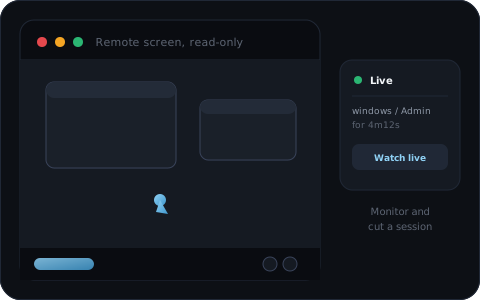
RDP gateway
The remote screen renders in the browser, keyboard and mouse included, on a FreeRDP protocol engine. Unlike solutions built on top of Apache Guacamole, the WebSocket tunnel, session broker and recording format are entirely proprietary to Bastigo, built in-house from the start.
- ✓ HTML5 rendering of the remote screen, no plugin or heavy client
- ✓ Built on FreeRDP, proven on real Windows Server / AD environments
- ✓ Live read-only monitoring of a session by an administrator
- ✓ Immediate session termination if something looks wrong
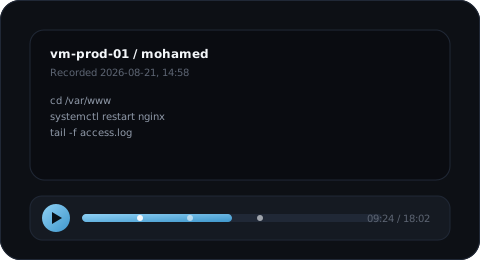
Session recording and replay
Every SSH and RDP session is recorded automatically, in a compressed format, the moment it connects. Nothing to enable, nothing to check: it's the bastion's default behavior.
- ✓ Full replay from the admin portal, with a timeline
- ✓ One recording per session, searchable and filterable from the session list
- ✓ Useful for internal audit as well as post-incident investigation
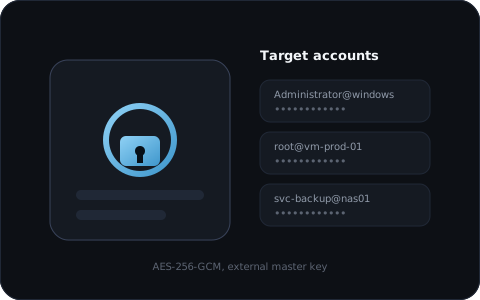
Password vault
Every target account's credentials are encrypted with an AES-256-GCM envelope, master key kept outside the encrypted data itself. No one, not even the connecting user, ever sees the real password.
- ✓ One credential per target account, never shared in plain text
- ✓ Automatic scheduled rotation for SSH accounts
- ✓ External HSM/KMS and multi-key management planned for a future release
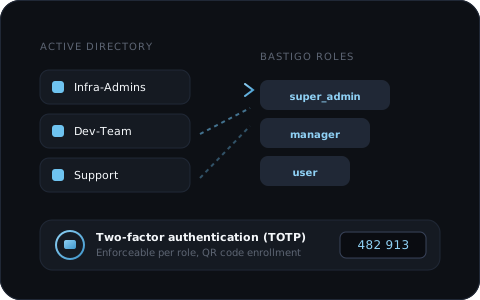
LDAP/Active Directory and MFA
Bastigo authenticates users via a direct bind against your existing directory, no heavy synchronization to set up. AD groups map automatically to a Bastigo role: the infra team becomes admin, the support team stays a regular user, no manual intervention every time a team changes.
- ✓ Local accounts (Argon2id) or LDAP/Active Directory
- ✓ AD group to Bastigo role mapping, configurable from the UI, no restart needed
- ✓ Role recalculated on every login: a promotion or revocation on the AD side applies on the very next login
- ✓ MFA (TOTP) with QR code enrollment, enforceable per role
Policies and roles
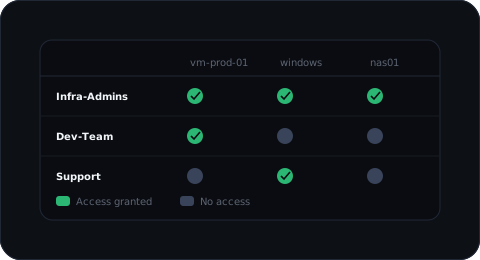
A policy precisely links a user or group to a given target, protocol and account. In their portal, a user only ever sees what a policy grants them, nothing else, never by default.
- ✓ Five roles: super admin, manager, security, auditor, user
- ✓ Policies scoped to an individual target or a target group
- ✓ A role alone grants no resource access: policies remain the single source of truth for who can reach what
Interventions and temporary access
An intervention names a specific operation (a maintenance task, an on-call shift, an incident, a contractor's job) and ties it to a temporary policy: a user or contractor gets access to a given target and account, for a duration set at creation, from 30 minutes to 7 days.
- ✓ Granted by a manager or super admin, never self-service
- ✓ Expires automatically once the chosen duration elapses, no manual action needed
- ✓ Revocable before the deadline, in one click
- ✓ Every grant and revocation is logged in the audit trail, with the identity of who granted the access
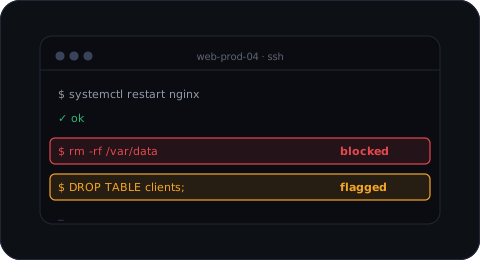
Block dangerous commands before they run
Bastigo can block or flag SSH commands in real time based on your security rules, whether the connection comes from the web terminal or a regular SSH client.
- ✓ Blocking rules (
rm -rf,DROP TABLE,mkfs,dd,shutdown...) or simple alerting - ✓ Works the same from the web terminal or a regular SSH client
- ✓ Every blocked or flagged command is logged and can trigger an alert
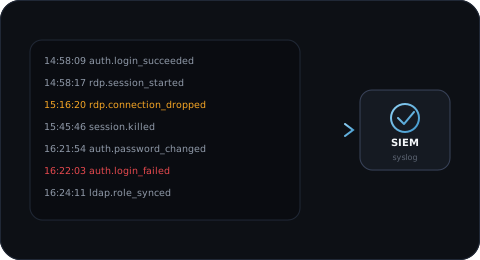
Audit and SIEM export
Every login, admin action and security event is logged automatically. The audit trail filters, exports and relays continuously to your existing syslog collector.
- ✓ Filter by user, target, event type or time range
- ✓ One-click CSV export
- ✓ Syslog export to your SIEM, for correlation with the rest of your infrastructure
The rest of the day-to-day toolkit
Less spectacular than an SSH or RDP session, but just as present in everyday use of the bastion.
Automatic rotation
Scheduled password rotation for SSH target accounts, verifying the new connection before considering a rotation successful.
Webhook alerting
Instant notification on security events that need a fast reaction.
Usage statistics
Sessions per day, most active targets and users, to track real bastion usage over time.
Installation wizard
A guided web wizard on first boot: admin account, authentication, network, license.
Backup and restore
Back up the entire bastion and restore it onto a new environment.
User portal
Each user launches their session in one click on the resources granted to them, never handling a password directly.
Offline signed license
License verified locally via Ed25519 signature, no mandatory network dependency to the vendor.
Built-in support ticketing
A direct link to vendor support for administrators, without leaving the Bastigo portal.
See these features in context
One feature in particular catch your eye?
We'll show it to you in real conditions, on your own use case rather than on a slide.